Maya
Strength & Form
Technique cues, progressive overload, barbell programming and structured strength blocks built around your logged lifts.
“We’ll tighten technique and progression on your main lifts.”
One calm, fast iPhone app for workout logging, food & water tracking, Apple Health & WHOOP recovery, Vi AI coaching and a direct link to your personal trainer.


Explore the core of FitNest below. Every screen and motion clip on this page is captured directly from the shipping iPhone app.
Built for noisy gyms and basement signal. Your sets save locally first, rest timers live in the Dynamic Island, and bar plate math sits right beside the load.
Vi works from the workouts, meals and recovery data you choose to share — never generic copy-paste advice. Review the exact context sent before you ask.
See calories remaining, protein, carbs, fat and water at a glance — then log meals by barcode, natural language, meal photo, voice, or one-tap recent favourites.

Sleep, resting heart rate, HRV and breathing rate compared against your own 30-day usual range — never mixing Apple Health SDNN and WHOOP RMSSD numbers.
Track strength trends, personal records, body weight, progress photos and an interactive front-and-back weekly muscle volume map.

Share completed sessions with clear audience controls, join training challenges, message partners directly, or opt into Gym Partner Match nearby.

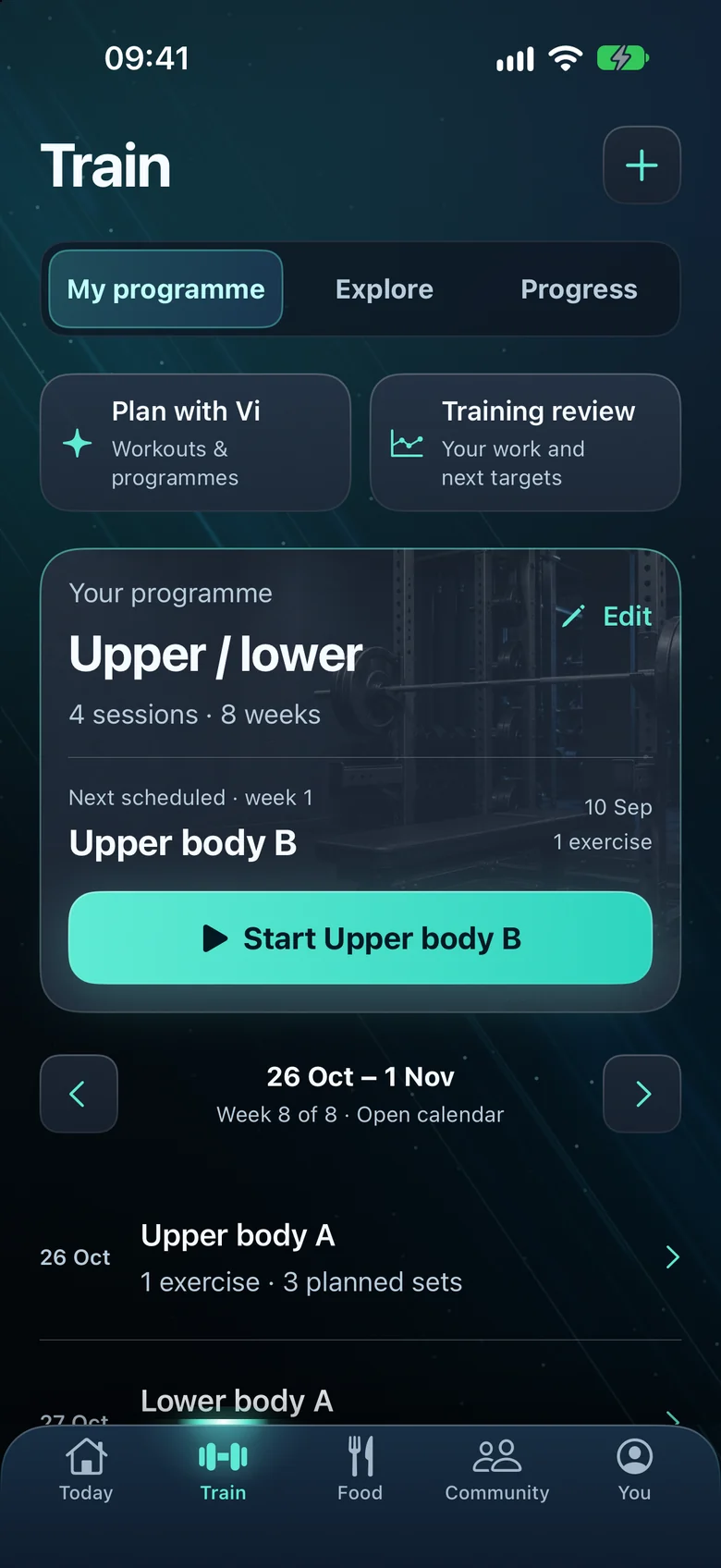
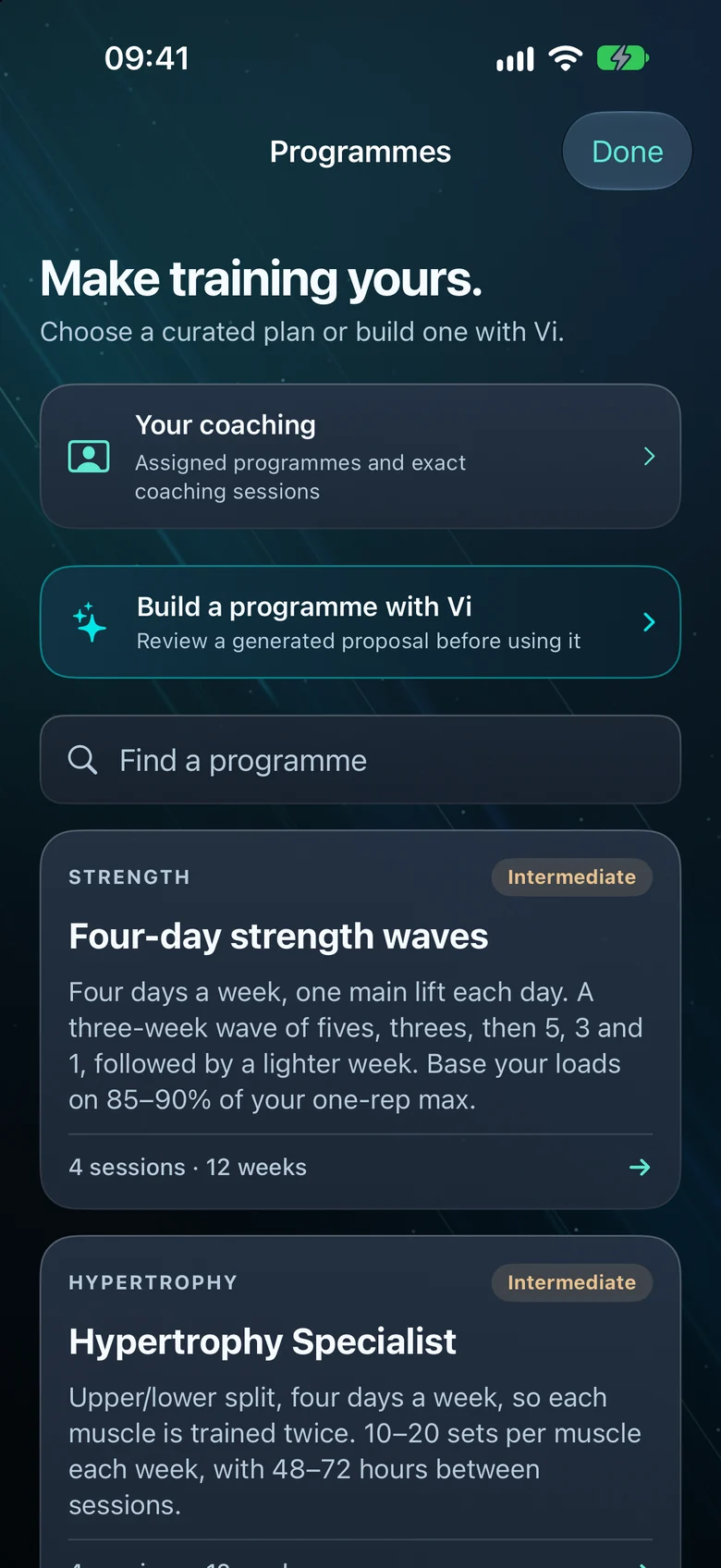
Assign multi-week programmes, review form-check clips, message clients directly, and run check-ins from both iPhone and the FitNest Web Portal.
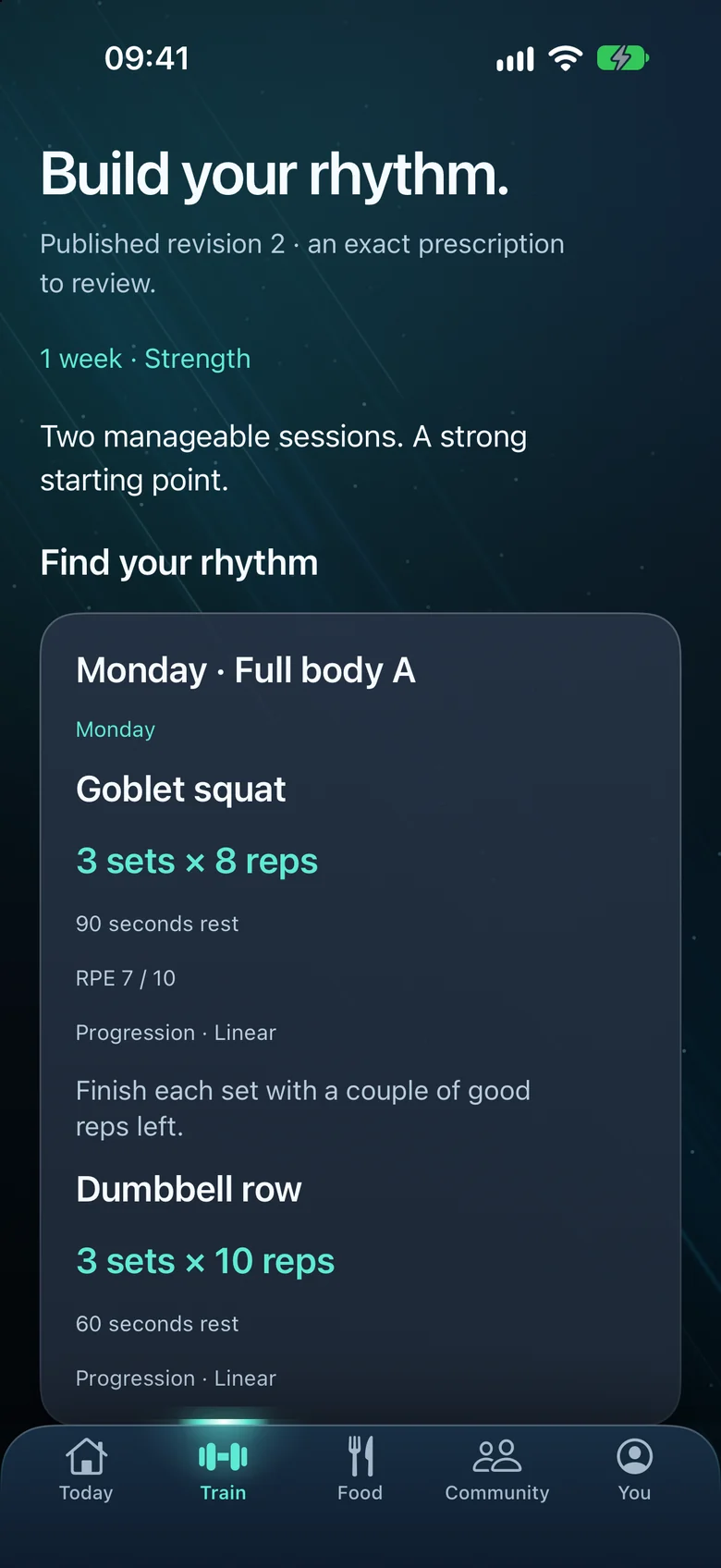
Swipe through unedited iPhone captures from the January 2027 release candidate — every screen populated with real sessions, coaching notes, fuel logs and recovery data.

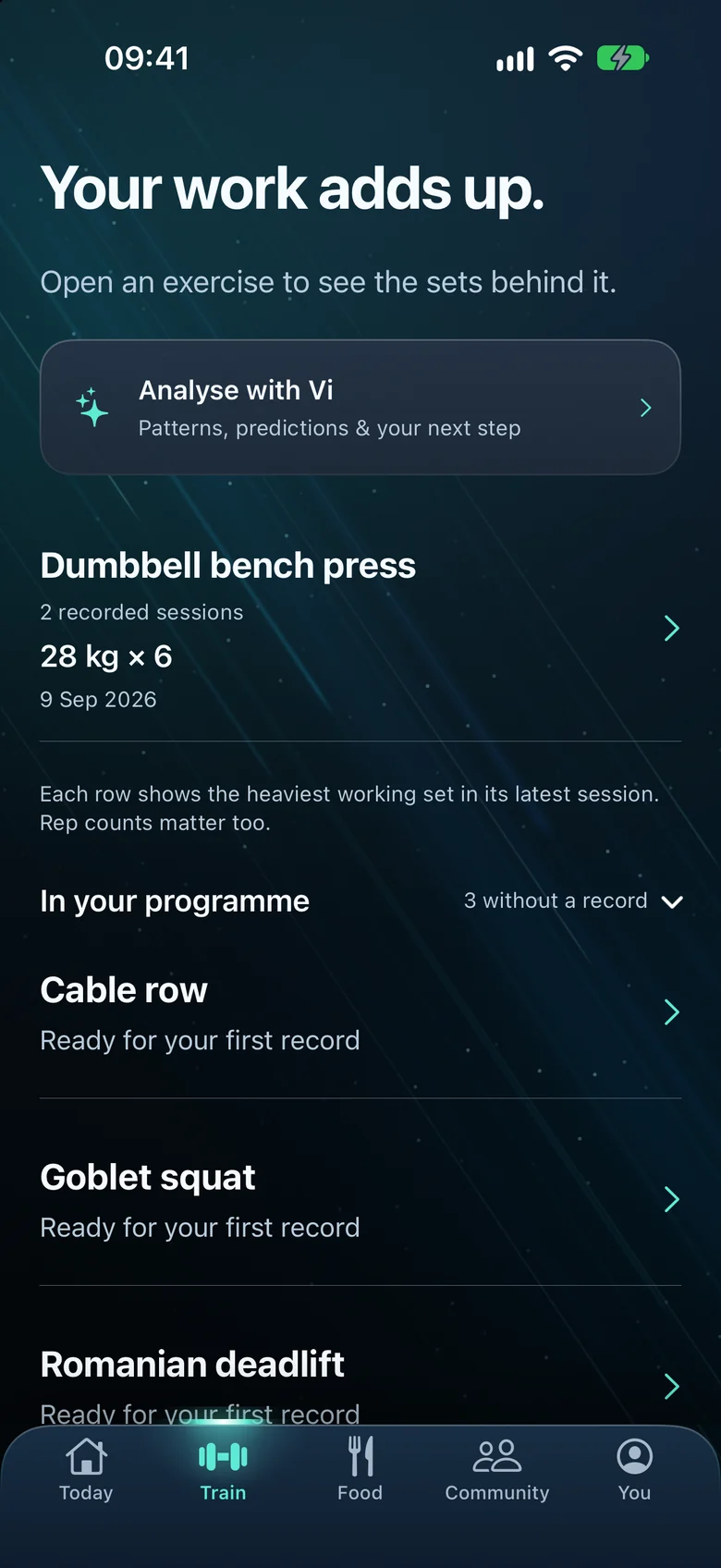
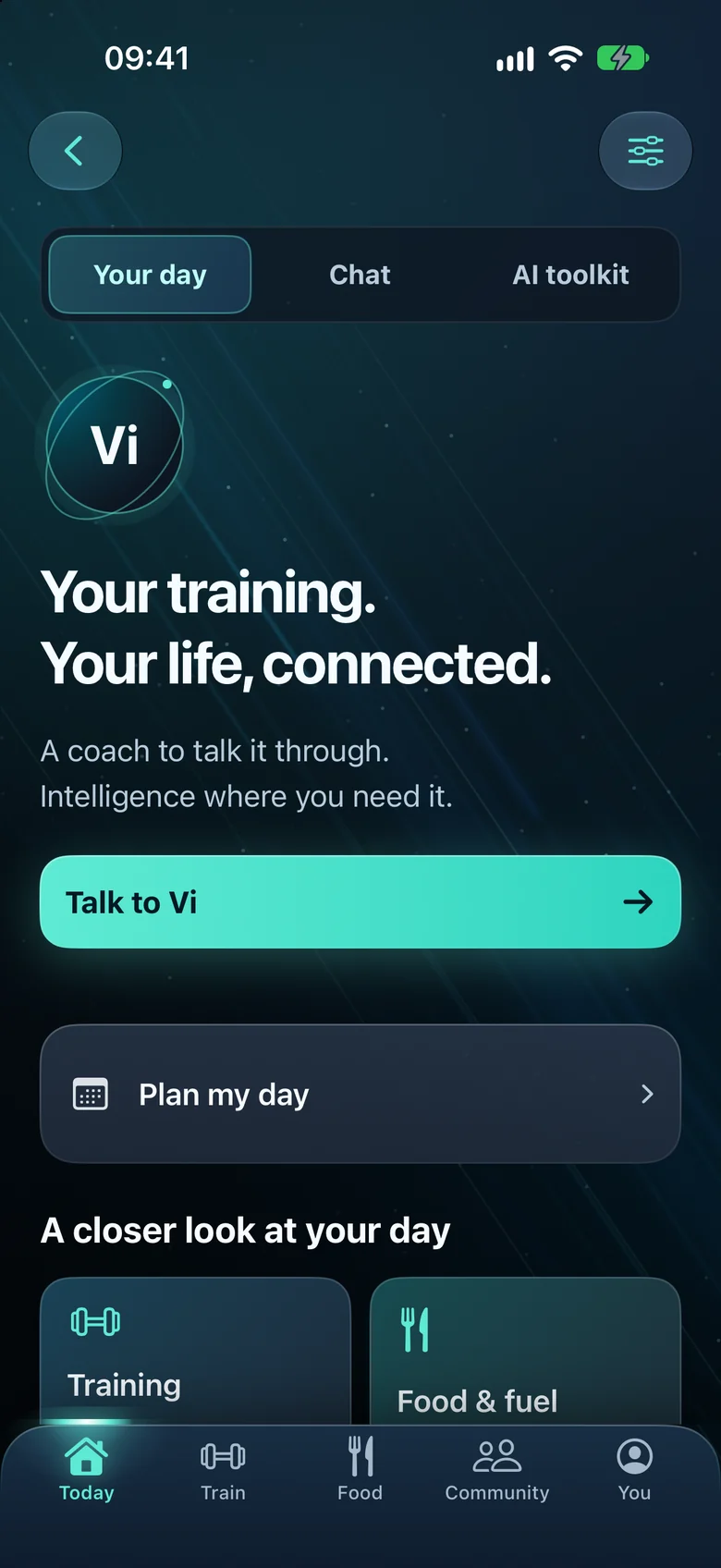

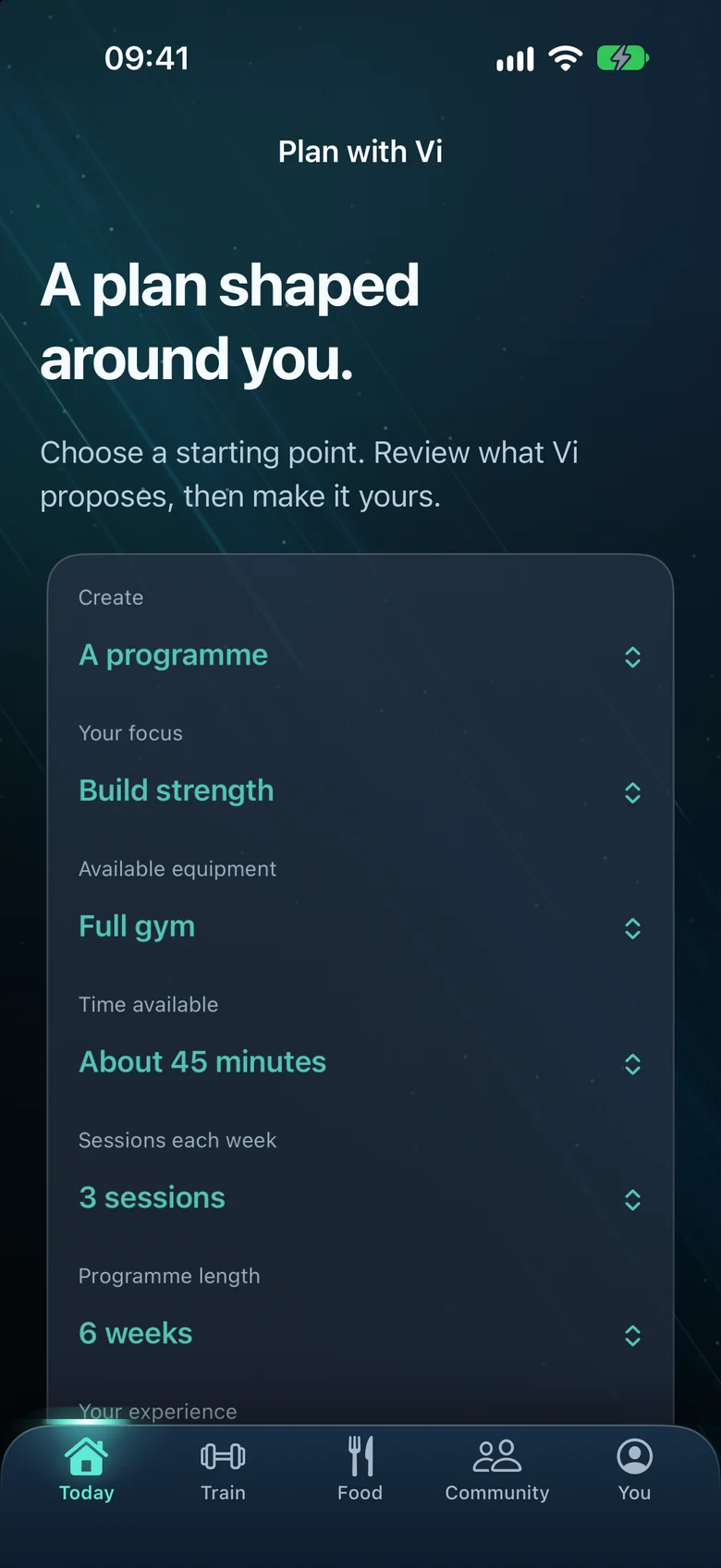
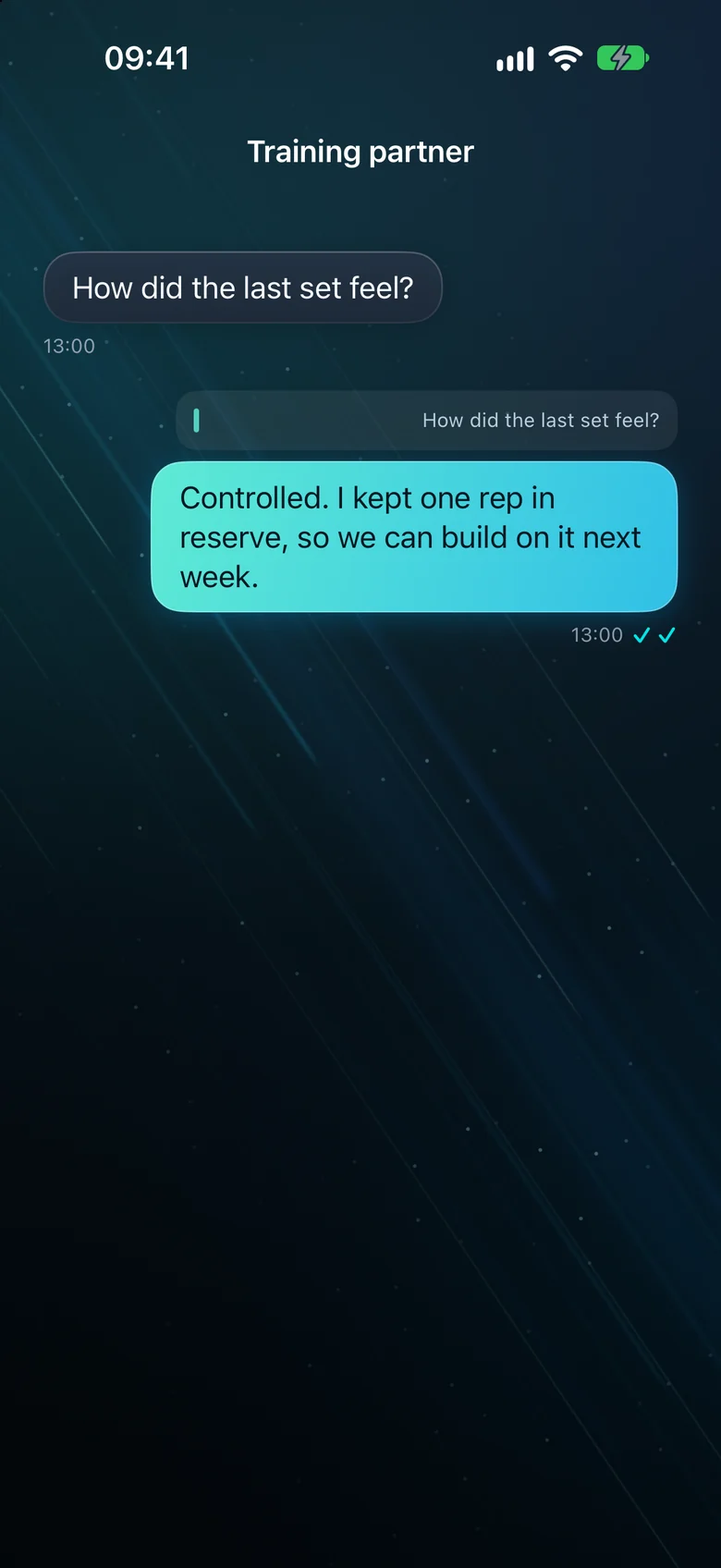
Start with Vi as your balanced head coach across training, nutrition and recovery, or switch style inside Chat whenever you want deeper focus. Every style reads the same records and respects the same privacy toggles.
Warm, clear and grounded in your actual numbers. Vi synthesises your recent workouts, food log and optional recovery data into brief notes on Today, answers questions in Chat, and drafts programmes or goal changes you always review before saving.
Technique cues, progressive overload, barbell programming and structured strength blocks built around your logged lifts.
“We’ll tighten technique and progression on your main lifts.”
Aerobic capacity, hybrid load management, pacing and bounce-back between hard sessions without burning out.
“We’ll align effort with recovery so you can push without burning out.”
Practical macro targets, high-protein swaps and realistic meal planning fitted around your training days and schedule.
“We’ll make nutrition practical for your goal and schedule.”
Sleep routines, stress awareness, sustainable habits and getting back on track after busy weeks without guilt.
“We’ll tune habits, stress, and sleep so consistency feels sustainable.”
Targeted warm-ups, joint prep and range-of-motion routines so heavy lifting and daily movement both feel smoother.
“We’ll open up movement and prep so everything else feels better.”
Real-world power, athletic conditioning, circuits and hybrid work capacity built to carry over outside the gym.
“We’ll build athletic, real-world strength and conditioning.”
Not a wrapped web view. FitNest plugs directly into Apple Health, WHOOP, Dynamic Island, Home Screen widgets, Siri and on-device Core Data storage.
Reads sleep, HRV, resting heart rate, workouts, steps and energy from Apple Health, writes completed workouts and body mass back, and supports direct WHOOP OAuth sync with separate RMSSD HRV tracking.
Keep your workout timer, active rest countdown and daily check-in nudges visible on the Lock Screen and Dynamic Island so you stay focused between heavy sets.
Pin your daily summary, quick-start launcher, nutrition fuel ring, social updates or coach hub to your Home Screen — or start a workout and open Vi directly via Siri App Intents.
Workouts save to local Core Data first so zero signal never costs a set. Sign in with Apple or email, keep Apple Health local by default, export everything anytime, or delete your account cleanly in-app.
Deliver programmes, review client form-check clips, read weekly check-ins and message clients directly — on iPhone and in the desktop Web Portal.
Assign exercises, sets, reps, rest and RPE targets that open straight inside FitNest’s live workout logger.
Review client lifting clips, log feedback, and track adherence without chasing scattered WhatsApp threads.
Sign into fitnesttraining.com/dashboard on a laptop for roster management, messaging and exports — synced with the same account.
Invited clients receive core workout logging, assigned programmes, manual food logging and trainer messaging with no separate FitNest+ purchase required.
Generate a trainer invite link in FitNest. Opening it lets your client inspect who invited them before connecting.
Sharing starts off by default. Clients toggle workouts, nutrition or check-ins explicitly and can change permissions anytime.
Updates you publish appear immediately on Today, while completed sessions and check-ins roll straight back into your PT Hub.
Two straightforward Apple In-App Purchase plans — no hidden tiers, no confusing add-on gates. Switch or cancel anytime in iPhone Settings.
Everything you need for daily training, food tracking, recovery insights and Vi AI coaching.
Everything in FitNest+, plus the full Personal Trainer Hub on iPhone and the desktop Web Portal.
UK prices shown in GBP; Apple displays your local currency and applicable taxes on the App Store before you confirm. Subscriptions auto-renew unless cancelled at least 24 hours before renewal. Clients invited by an active FitNest Trainer receive core training, manual food logging and trainer messaging included — no separate FitNest+ subscription needed. Cloud AI features (Vi Chat, meal photo analysis and AI programme drafting) share a monthly allowance designed for everyday use.
Everything you’d want to know before launch day — from pricing and Apple Health privacy to trainers and offline gym logging.
Visit Help CentreFitNest is scheduled to launch for iPhone in January 2027. Join the launch list below and we’ll keep you posted on the launch — and the occasional offer — until it goes live on the App Store.
Both FitNest+ and FitNest Trainer start with a 7-day free trial via Apple In-App Purchase, so you can try everything before paying. If you’re invited by an active FitNest Trainer, your coached account includes core workout logging, your trainer’s assigned programmes, manual nutrition logging and direct messaging at no extra cost to you.
Vi is your default all-round coach across training, nutrition and recovery. Inside Chat you can switch anytime to Maya (Strength & Form), Alex (Endurance & Recovery), Jordan (Nutrition & Fuel), Sage (Wellness & Mindset), Rio (Mobility & Movement) or Kai (Functional & Athletic). Before sending a question, you can inspect the context shared, and any programme or goal edits always ask for your confirmation first.
No. Apple Health and WHOOP recovery metrics stay on your device by default and are used locally for your 30-day ranges. Cloud Health AI (“Health Coach”) is an explicit, separate opt-in toggle inside FitNest that you can turn off at any time. See our Privacy Policy for full details.
Yes. Active workouts save directly to on-device Core Data storage first — including sets, reps, weight, rest timers and session recovery — and sync automatically when your connection returns.
FitNest launches natively on iPhone running iOS 18 or later, with full Apple Health integration (including Apple Watch workouts, sleep, HRV and resting heart rate) plus direct WHOOP OAuth sync. FitNest labels each source separately rather than blending incompatible HRV measurements.
Yes to both. You can export your workout, nutrition and progress history in CSV, JSON or PDF format right from Settings, and you can permanently delete your FitNest account and associated cloud data in-app whenever you choose.
 Launching January 2027
Leave your email and we’ll keep you in the loop on the launch, plus the occasional offer along the way. By joining, you’re asking us to email you about FitNest — you can withdraw at any time.
Requires iPhone with iOS 18 or later · Need help or press info? Contact us or read our Privacy Policy.